WTTB
Loading...
Books & Brochures
Flyers & Leaflets
Display & Signage
Cards & Stationery
Packaging & Stickers
Promotional
Occasions
Best Sellers

Products

  • Banners
  • Booklets & Brochures
  • Business Cards
  • Flyers & Leaflets
  • Signage
  • Business Stationery
  • Bespoke Printing
  • View all products »

Resources

  • Print Reseller Hub
  • Sample Pack
  • Book Printing Hub
  • Charity Printing Hub
  • Canva Print Hub
  • Print Materials Hub
  • Image Library

My Account

  • Track My Order
  • Dashboard
  • Print Tools
  • Rewards
  • Deals & Discounts
  • Register

Help & Support

  • FAQs
  • Support Guides
  • Print Dictionary
  • Artwork Check
  • WTTB Blog
  • Contact Us

Company

  • About WTTB
  • Meet The Team
  • Terms and Conditions
  • Privacy Policy
  • Cookie Policy
  • Sustainability

Connect

  • icon
    Facebook
  • icon
    Instagram
  • icon
    LinkedIn
  • icon
    Pinterest
  • icon
    TikTok
  • icon
    YouTube

Copyright © 2026 WTTB  All rights reserved

Resources
Print Services
Trade Print Services
Benefits
Help & Support
‎ ‎ Canva
Canva Print Hub
Canva Templates
Canva Tutorials
Canva Checklist
Canva Blogs
Premium Roller Banner Assembly Guide
Bespoke Printing
Book Printing Hub
Events & Exhibitions Hub
Charity Printing Hub
Leaflet Distribution
Video QR Codes
Print Reseller Hub
Image Library
Print Tools
Reseller Blogs
Sample Pack
Print Blog
FAQs
Support Guides
Artwork Check
Print Dictionary
Contact Us
Rewards
Deals & Discounts

Premium Roller Banner: Assembly Guide

Premium Roller Banner: Assembly Guide

How to Assemble Premium Roller Banners

How to Assemble Premium Roller Banners

Follow these six simple steps to ensure your premium roller banner is set up safely and stands perfectly straight for your event.

Step 1: Unpack the Components

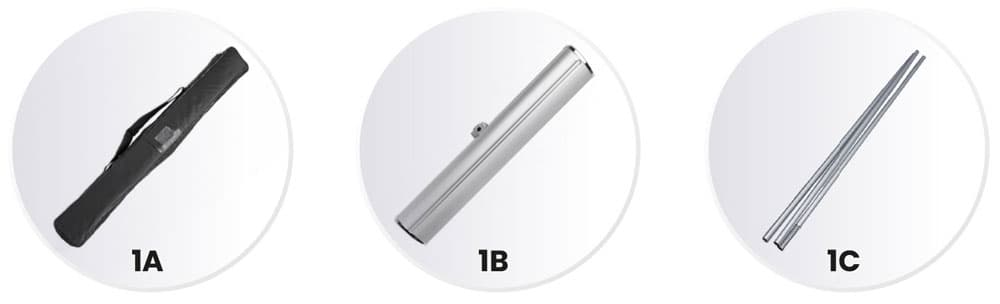
Begin by clearing a small space on a flat surface to unpack your banner kit.

Unzip the carry case (1A).

Remove the banner base (1B).

Retrieve the pole (1C), which is conveniently located within a dedicated compartment in the base.

Step 2: Prepare the Base

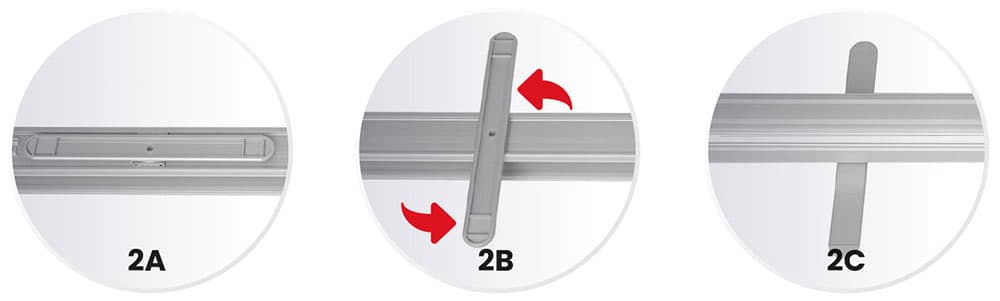
The base must be correctly stabilised before the graphic is extended.

  • Lay the base (2A) face down.
  • Turn the support feet (2B) 90 degrees so they are perpendicular to the base.
  • Flip the base back over so it stands upright and stable (2C).

Step 3: Assemble the Support Pole

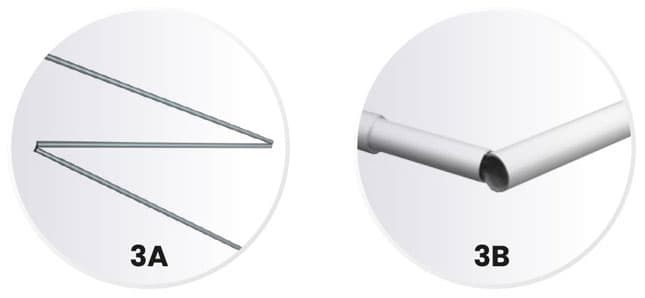
Our banners use a shock-corded pole system for quick and easy assembly.

  • Unfold the pole segments (3A).
  • Slot the pieces together (3B) to create one straight, rigid support pole.

Step 4: Secure the Pole to the Base

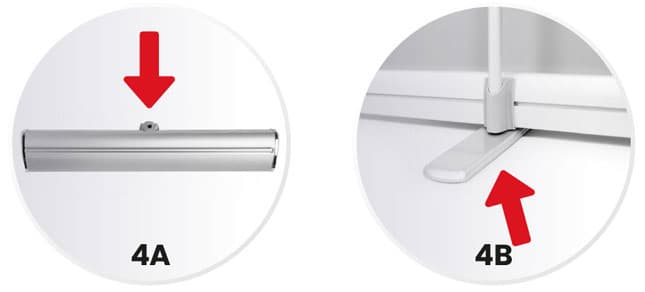
Ensure the pole is fully seated to prevent the banner from leaning.

  • Insert the pole into the designated hole in the base (4A).
  • Ensure the pole reaches the very bottom of the base (4B) for maximum stability.

Step 5: Extend the Graphic

This step is best performed by standing behind the banner.

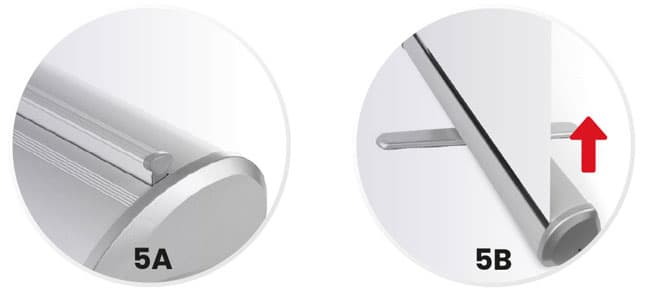
  • Stand on both base feet for support (5A).
  • Use both hands to slowly and evenly pull the graphic upward from the base (5B).

Step 6: Lock and Display

The final step secures the banner at its full height.

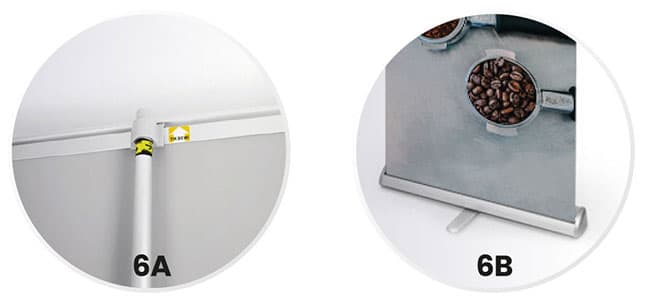
  • Attach the upper support rail of the graphic onto the top of the pole (6A).
  • Your banner is now ready for display (6B).

To Disassemble: Simply reverse these steps, ensuring you guide the graphic back into the base slowly to avoid damage.

PDF Guide: Premium Roller Banner Assembly Guide

Download our step-by-step guide to assemble your Premium Roller Banner for a smooth and simple setup.

Related guides

Read Now
Read Now
Read Now
Read Now
Read Now
Four blank white directional signs point in opposite directions against a blue background.
roller-banner-kit-components
roller-banner-base-setup
roller-banner-support-pole-assembly
roller-banner-pole-insertion
pulling-roller-banner-graphic
roller-banner-final-assembly
Laptop displaying a downloadable print guide, shown on a blue background.
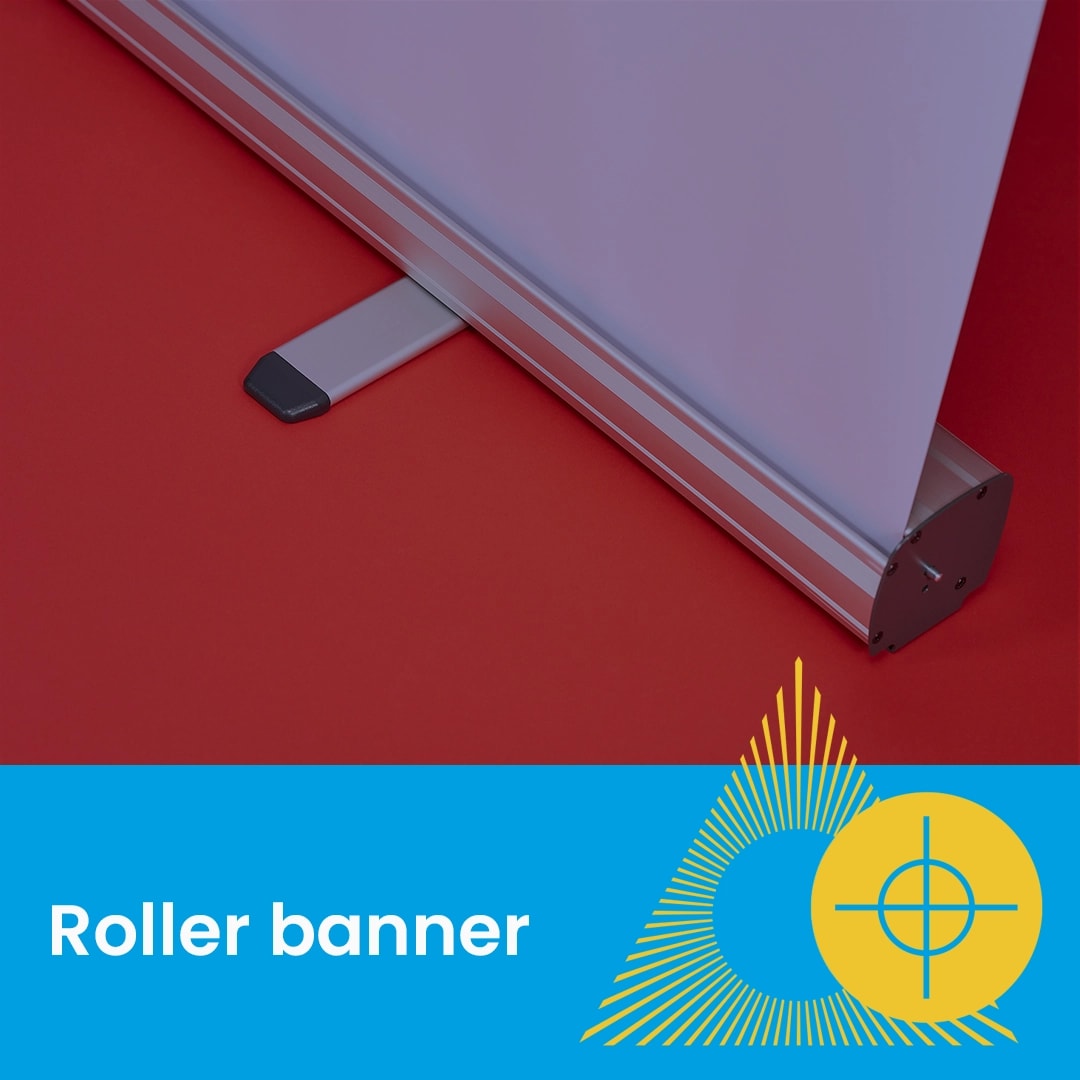
Close-up of a roller banner stand on a red surface with text "Roller banner" below.
A close up of a colour swatch.
Four cards labeled TIFF, GIF, JPG, and PNG illustrate different file formats.
Close-up of a printed page with colourful doodles over a statue, text reads "File prep".
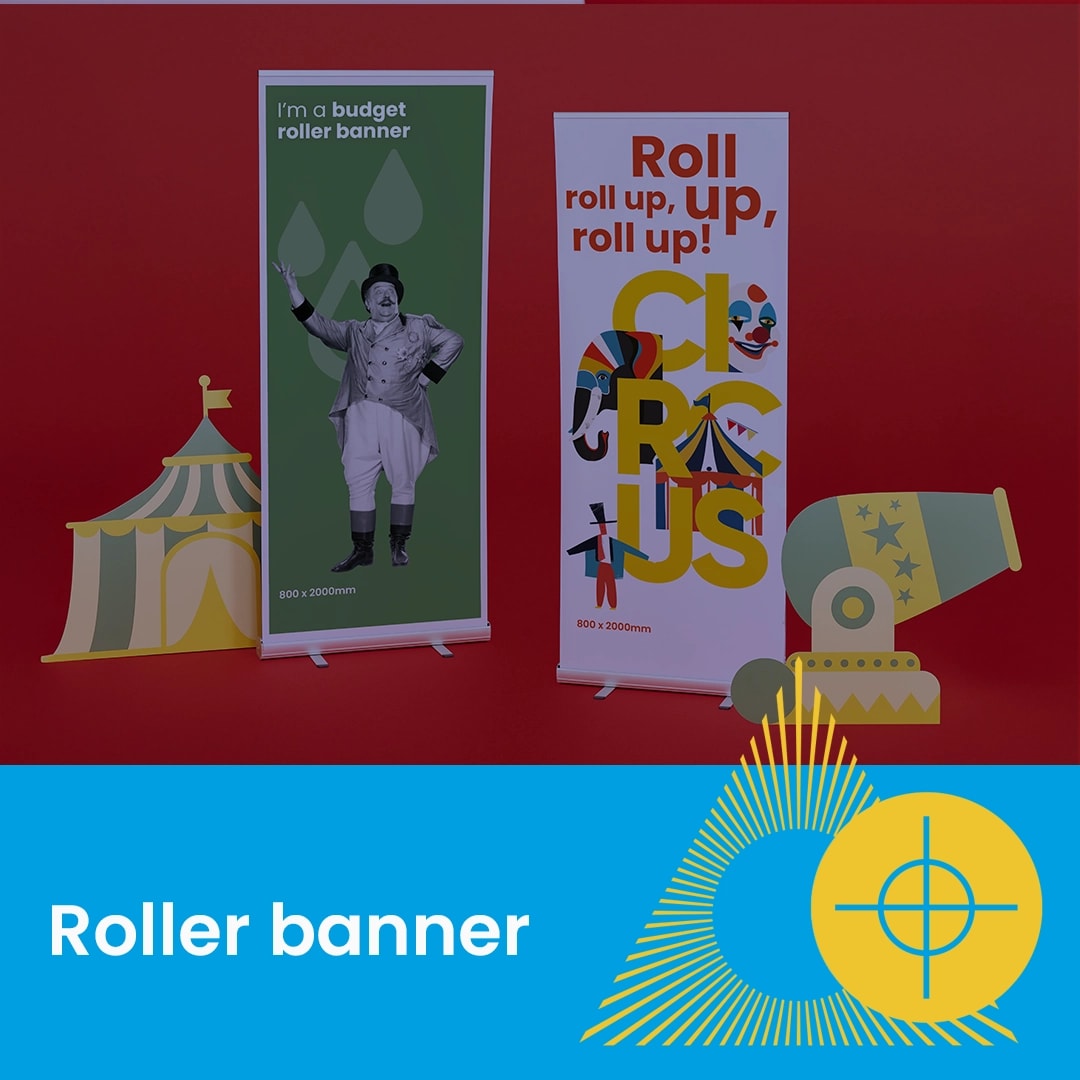
Two upright circus-themed roller banners with a tent and cannon on a red background.