||

Prices


 Unparalleled knowledge,
Paper Size
Material
Printed sides
Quantity
Essential
23-point automated check
Free
Advanced
41-point inspection by a prepress technician
FREE if using your Print Perk Points at checkout
Order summary:
Personalised Gift Boxes

Quantity: x5 | Paper Size: 350 x 250 x 40mm | Material: White Coated E-Flute | Printed Sides: Single Sided | Finishing Types: Cut to Shape |
Artwork Technical Check: Essential - FREE
Unparalleled knowledge,See what our customers say about Personalised Gift Boxes
Product description
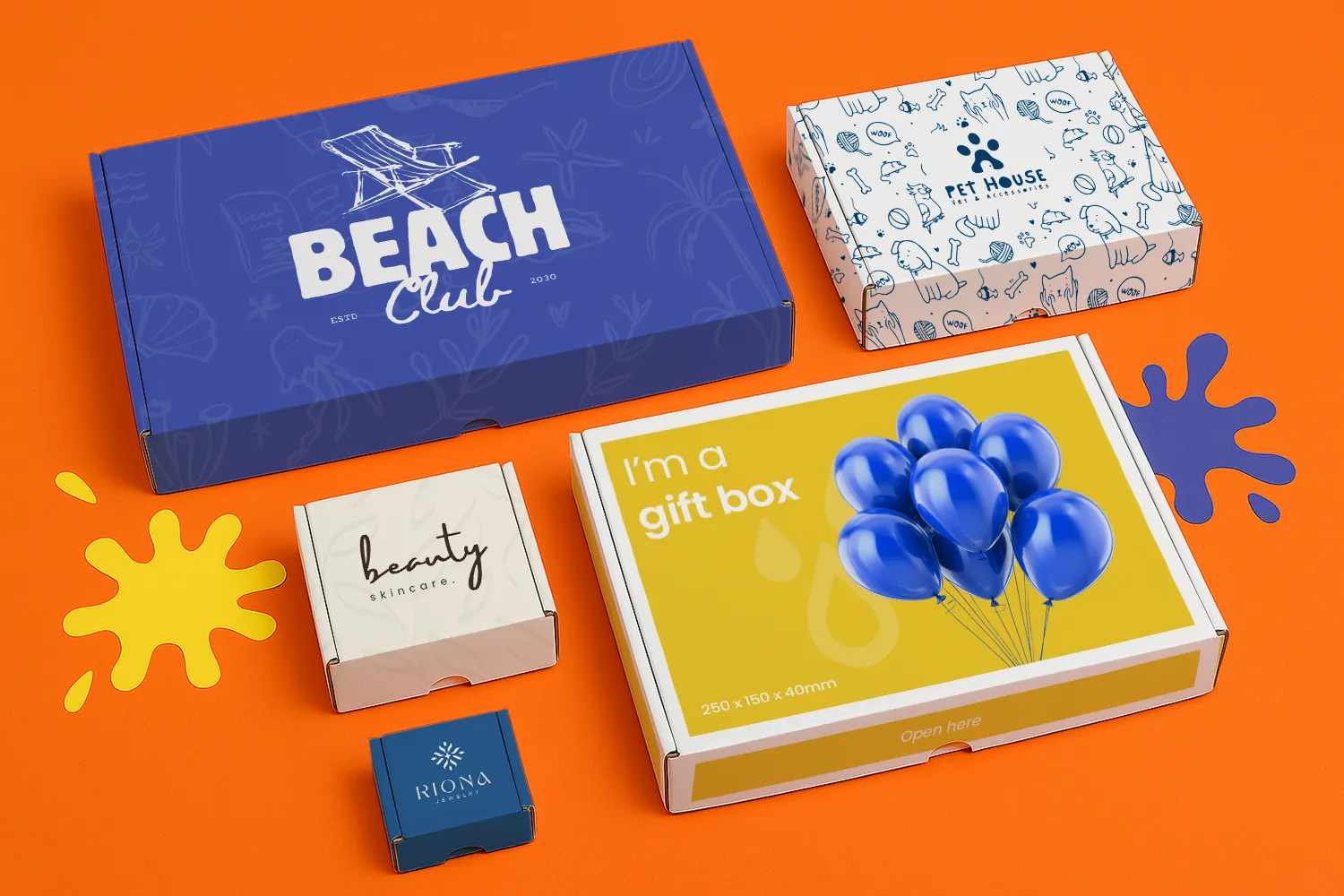
Elevate the gifting experience with our custom Gift Boxes—where elegance and personalisation combine to create an unforgettable first impression.
Available in various sizes, these personalised gift boxes are made from high-quality e-flute material, providing both durability and a smooth, premium finish that enhances the presentation of your gifts. Supplied flat for easy self-assembly, they offer a practical solution for efficient packaging, allowing you to quickly create beautiful, ready-to-present gift boxes without any hassle.
With single-sided printing, these gift boxes showcase your branding, logo or creative artwork in vivid detail, making them ideal for Christmas gift boxes, Etsy gift boxes or even corporate thank-yous as chocolate gift boxes. Whether packaging jewellery, keepsakes or are after a birthday gift box, they are the perfect blend of sophistication and style.
Retail and corporate gifting, festive presents, special occasions and more.
Top tip
Create a lasting impression by using striking visuals and thoughtful details on your gift boxes. Play with textures, elegant typography, and your brand’s colours to craft packaging that feels as special as the gift inside.
Looking for more ways to enhance your brand's presentation? Explore our wide range of custom boxes and packaging solutions.
Design guidelines
To make artwork setup simple, download the relevant template from the Production templates section above. Follow the instructions provided and remember to remove the 'Guide' layer before exporting your artwork as a PDF.
For the best printing results, ensure your artwork and images are in CMYK. If you use RGB, Pantone or spot colours, these will be converted to CMYK during production, which may affect how your colours appear in print.
To avoid font issues, make sure all fonts are embedded or converted to outlines before exporting your PDF. For readability, we recommend using a minimum font size of 10pt.
For the best print quality, aim for images between 300dpi and 450dpi at their final print size. Lower resolutions may appear blurry or pixelated, while higher resolutions can increase file sizes. Check product template for any specific requirements.
To avoid alignment issues during cutting, include crop marks with a 10mm offset and document bleed when exporting your artwork as a PDF. Refer to the relevant product template for the required bleed specifications, as these vary by product.
All artwork must be supplied as a print ready PDF. We recommend exporting in Adobe PDF (Print) format, ideally using the PDF/X 1a:2001 standard.
Need more help preparing your artwork Explore our support guides for further guidance.
Designing with Canva
We offer free Canva templates for many of our products, complete with the correct dimensions, bleed and safe zones. Where available, you'll find the Canva template in the Production templates section above, ready to open and personalise.
Once your design is complete, download it as a PDF Print file and return to our website to place your order and upload your artwork. Remember to remove any guide layers before exporting.
Need help getting started? Read our Canva template guide or explore our wider collection of Canva templates for other products.
Canva uses RGB colour mode by default, which is designed for screens rather than print. For the best printing results, make sure you select CMYK when exporting your artwork. Converting from RGB to CMYK can cause slight colour shifts, so always check your exported PDF carefully before uploading to avoid unexpected results.
Need help with colours? Read our Canva colour guide.
Use fonts of at least 10pt to maintain legibility and keep important text within the safe zone. Use images at 300dpi or higher at their final size to avoid blurry or pixelated results.
Need help with image quality? Read our artwork resolution guide or watch our YouTube tutorial on how to export Canva designs for print.
Extend backgrounds, colours and images into the bleed area to avoid unwanted white edges after trimming. Keep important text, logos and design elements within the safe zone, and follow the bleed requirements for your chosen product.
Need help setting up bleed? Read our Canva bleed setup guide.
When exporting your finished design from Canva, select PDF Print and enable 'Crop Marks and Bleed'. This ensures your artwork includes the necessary bleed for printing. Remember to remove any template guides before downloading your file.
Need help exporting your artwork? Explore our Canva Hub for further guidance, or watch our tutorial below.
Personalised gift boxes are custom-printed packaging featuring unique graphics and messages that enhance gift presentation and create a memorable unboxing experience. They are commonly used for a wide range of occasions, such as birthdays, weddings, holidays, and corporate events. These boxes not only improve the presentation of the gift inside but also provide an unforgettable unboxing experience. They can be filled with a variety of items, from gourmet treats and personal keepsakes to branded merchandise, making them versatile for both personal and promotional gifting purposes.
We provide two different gift box capacity options with various sizes available. The 40mm capacity includes sizes such as 100 x 100 x 40mm and 350 x 250 x 40mm, while the 50mm capacity options include 200 x 150 x 50mm, 200 x 200 x 50mm, and 250 x 150 x 50mm.
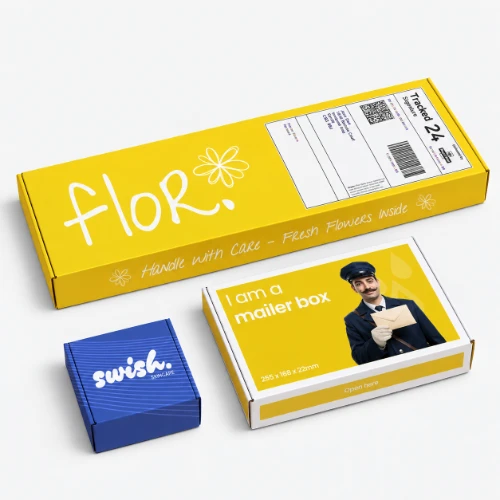
Yes, our gift boxes can be posted. We also offer a mailer box designed to fit Royal Mail's postage sizes, which helps reduce shipping costs.
Custom gift boxes are supplied flat for easy self-assembly. To assemble, begin by folding along the pre-scored lines on the cardboard. Next, insert the interlocking tabs into their corresponding slots to secure the box’s structure. Once the tabs are locked in place, fold the top and bottom flaps over and tuck them in to close the box. Make sure all edges are aligned properly and the box is securely sealed before use.
E-flute: This lightweight reinforced board features a smooth, bright white surface, making it an ideal choice for printed gift boxes.
Colour matching is not available on standard online orders. If your print requires a specific colour match, please submit a bespoke quote request, and our team will review your requirements.
The turnaround time for personalised gift boxes depends on your chosen product specification and finishing options. For faster delivery, we offer express production upgrades at an additional cost. To ensure your order is delivered on time, it is important we receive your artwork by the cut-off time indicated on both the product page and basket.
Please note: If your file is submitted after the cut-off time or if corrected artwork isn't provided before the next cut-off time following rejection, it will delay delivery by one working day.
We offer free standard delivery, with optional upgrades available for expedited service, including pre-10:30 AM and pre-12:00 PM for an additional cost.
Yes, we offer international delivery. Contact our Bespoke team for a shipping quote.
Yes, we can arrange split deliveries. Contact our Bespoke team to let us know how you'd like your order sent.
Uploading custom gift box artwork is a breeze. After placing your order, click the upload button on the confirmation page. You can also upload your artwork through the Orders tab of "My Account".
Most orders are sent in boxes. For larger quantities, we may secure your order on a pallet (kerbside delivery). If your location doesn’t have tail-lift access, please contact us after placing your order so we can help arrange the best delivery option. Be sure to have your order number to hand.
Product description
Elevate the gifting experience with our custom Gift Boxes—where elegance and personalisation combine to create an unforgettable first impression.
Available in various sizes, these personalised gift boxes are made from high-quality e-flute material, providing both durability and a smooth, premium finish that enhances the presentation of your gifts. Supplied flat for easy self-assembly, they offer a practical solution for efficient packaging, allowing you to quickly create beautiful, ready-to-present gift boxes without any hassle.
With single-sided printing, these gift boxes showcase your branding, logo or creative artwork in vivid detail, making them ideal for Christmas gift boxes, Etsy gift boxes or even corporate thank-yous as chocolate gift boxes. Whether packaging jewellery, keepsakes or are after a birthday gift box, they are the perfect blend of sophistication and style.
Retail and corporate gifting, festive presents, special occasions and more.
Top tip
Create a lasting impression by using striking visuals and thoughtful details on your gift boxes. Play with textures, elegant typography, and your brand’s colours to craft packaging that feels as special as the gift inside.
Looking for more ways to enhance your brand's presentation? Explore our wide range of custom boxes and packaging solutions.
Design guidelines
To make artwork setup simple, download the relevant template from the Production templates section above. Follow the instructions provided and remember to remove the 'Guide' layer before exporting your artwork as a PDF.
For the best printing results, ensure your artwork and images are in CMYK. If you use RGB, Pantone or spot colours, these will be converted to CMYK during production, which may affect how your colours appear in print.
To avoid font issues, make sure all fonts are embedded or converted to outlines before exporting your PDF. For readability, we recommend using a minimum font size of 10pt.
For the best print quality, aim for images between 300dpi and 450dpi at their final print size. Lower resolutions may appear blurry or pixelated, while higher resolutions can increase file sizes. Check product template for any specific requirements.
To avoid alignment issues during cutting, include crop marks with a 10mm offset and document bleed when exporting your artwork as a PDF. Refer to the relevant product template for the required bleed specifications, as these vary by product.
All artwork must be supplied as a print ready PDF. We recommend exporting in Adobe PDF (Print) format, ideally using the PDF/X 1a:2001 standard.
Need more help preparing your artwork Explore our support guides for further guidance.
Designing with Canva
We offer free Canva templates for many of our products, complete with the correct dimensions, bleed and safe zones. Where available, you'll find the Canva template in the Production templates section above, ready to open and personalise.
Once your design is complete, download it as a PDF Print file and return to our website to place your order and upload your artwork. Remember to remove any guide layers before exporting.
Need help getting started? Read our Canva template guide or explore our wider collection of Canva templates for other products.
Canva uses RGB colour mode by default, which is designed for screens rather than print. For the best printing results, make sure you select CMYK when exporting your artwork. Converting from RGB to CMYK can cause slight colour shifts, so always check your exported PDF carefully before uploading to avoid unexpected results.
Need help with colours? Read our Canva colour guide.
Use fonts of at least 10pt to maintain legibility and keep important text within the safe zone. Use images at 300dpi or higher at their final size to avoid blurry or pixelated results.
Need help with image quality? Read our artwork resolution guide or watch our YouTube tutorial on how to export Canva designs for print.
Extend backgrounds, colours and images into the bleed area to avoid unwanted white edges after trimming. Keep important text, logos and design elements within the safe zone, and follow the bleed requirements for your chosen product.
Need help setting up bleed? Read our Canva bleed setup guide.
When exporting your finished design from Canva, select PDF Print and enable 'Crop Marks and Bleed'. This ensures your artwork includes the necessary bleed for printing. Remember to remove any template guides before downloading your file.
Need help exporting your artwork? Explore our Canva Hub for further guidance, or watch our tutorial below.
Personalised gift boxes are custom-printed packaging featuring unique graphics and messages that enhance gift presentation and create a memorable unboxing experience. They are commonly used for a wide range of occasions, such as birthdays, weddings, holidays, and corporate events. These boxes not only improve the presentation of the gift inside but also provide an unforgettable unboxing experience. They can be filled with a variety of items, from gourmet treats and personal keepsakes to branded merchandise, making them versatile for both personal and promotional gifting purposes.
We provide two different gift box capacity options with various sizes available. The 40mm capacity includes sizes such as 100 x 100 x 40mm and 350 x 250 x 40mm, while the 50mm capacity options include 200 x 150 x 50mm, 200 x 200 x 50mm, and 250 x 150 x 50mm.
Yes, our gift boxes can be posted. We also offer a mailer box designed to fit Royal Mail's postage sizes, which helps reduce shipping costs.
Custom gift boxes are supplied flat for easy self-assembly. To assemble, begin by folding along the pre-scored lines on the cardboard. Next, insert the interlocking tabs into their corresponding slots to secure the box’s structure. Once the tabs are locked in place, fold the top and bottom flaps over and tuck them in to close the box. Make sure all edges are aligned properly and the box is securely sealed before use.
E-flute: This lightweight reinforced board features a smooth, bright white surface, making it an ideal choice for printed gift boxes.
Colour matching is not available on standard online orders. If your print requires a specific colour match, please submit a bespoke quote request, and our team will review your requirements.
The turnaround time for personalised gift boxes depends on your chosen product specification and finishing options. For faster delivery, we offer express production upgrades at an additional cost. To ensure your order is delivered on time, it is important we receive your artwork by the cut-off time indicated on both the product page and basket.
Please note: If your file is submitted after the cut-off time or if corrected artwork isn't provided before the next cut-off time following rejection, it will delay delivery by one working day.
We offer free standard delivery, with optional upgrades available for expedited service, including pre-10:30 AM and pre-12:00 PM for an additional cost.
Yes, we offer international delivery. Contact our Bespoke team for a shipping quote.
Yes, we can arrange split deliveries. Contact our Bespoke team to let us know how you'd like your order sent.
Uploading custom gift box artwork is a breeze. After placing your order, click the upload button on the confirmation page. You can also upload your artwork through the Orders tab of "My Account".
Most orders are sent in boxes. For larger quantities, we may secure your order on a pallet (kerbside delivery). If your location doesn’t have tail-lift access, please contact us after placing your order so we can help arrange the best delivery option. Be sure to have your order number to hand.