||

Prices


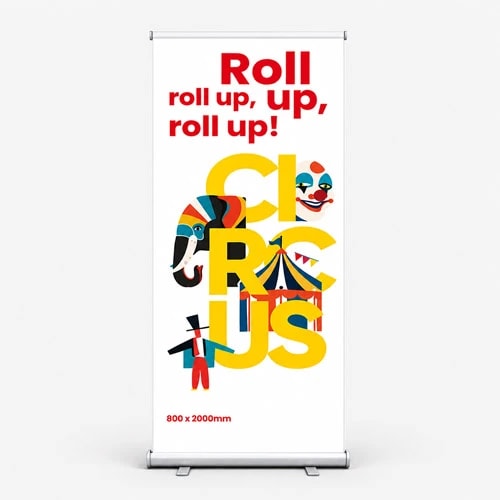
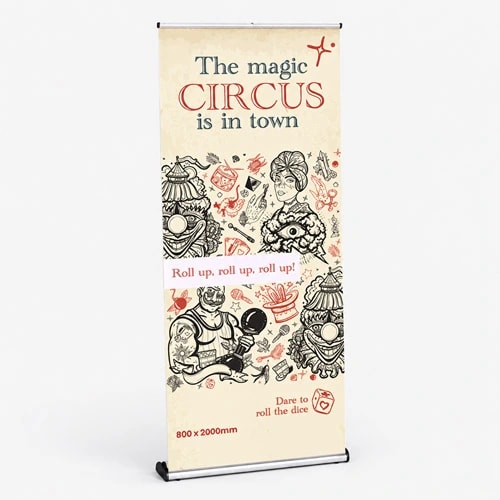
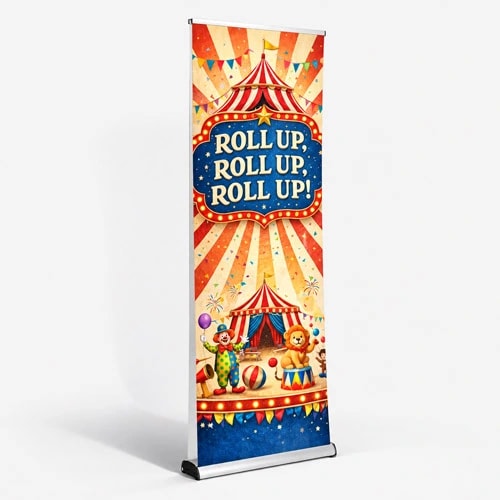
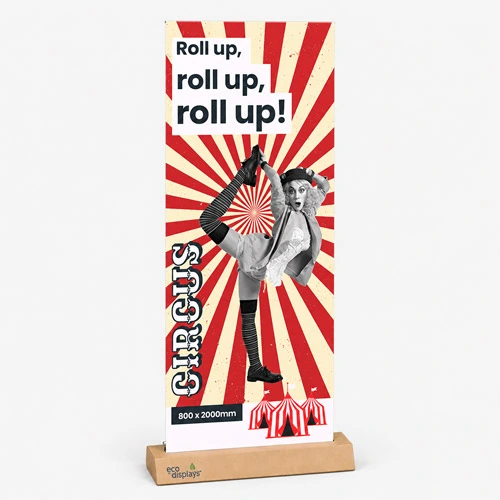
Classic cassette baseDurable and reliable our classic cassettes are better suited for recurring uses. Available in 800, 850, 1,000, 1200 and 1500mm widths.

What's included?Our classic roller banners include base, printed graphic, support pole(s) and padded carry bag.

330gsm grey back PVCPrinted on strong and vibrant 330gsm grey back PVC
 Unparalleled knowledge,
Banner Size
Versions
Quantity Per Version
Essential
23-point automated check
Free
Advanced
41-point inspection by a prepress technician
FREE if using your Print Perk Points at checkout
Order summary:
Classic Roller Banners

Quantity Per Version: x1 | Banner Size: 800 x 2000mm | Cassette Base: Classic | Print Area: Single Sided | Material: 330gsm Grey Back PVC | Shipping: Wide Format Shipping |
Artwork Technical Check: Essential - FREE
Unparalleled knowledge,See what our customers say about Classic Roller Banners
Classic cassette baseDurable and reliable our classic cassettes are better suited for recurring uses. Available in 800, 850, 1,000, 1200 and 1500mm widths.
What's included?Our classic roller banners include base, printed graphic, support pole(s) and padded carry bag.
330gsm grey back PVCPrinted on strong and vibrant 330gsm grey back PVC
Product description
Stand loud and proud with our Classic Roller Banners, designed for high visibility and durability at any event or occasion. Perfect for trade shows, exhibitions, and retail displays, these wide roller banners offer a professional look that commands attention.
Our roller banner sizes range from 800mm to 1500mm wide and are printed on 330gsm grey back PVC, ensuring sharp graphics that won't fade over time. The premium base adds sturdiness and longevity, making these banners a reliable choice for repeated use.
Whether promoting a new product or showcasing your brand, our printed roller banners provide the perfect solution for impactful, portable displays that are easy to set up and take down. Elevate your marketing with roller banner printing that delivers both style and substance.
Sales events, pop-up activities, special celebrations, conferences, and more.
Top tip
If you're looking for extra space to showcase your message, opt for a wider size. These larger options provide ample room for clear presentation, enhancing readability and visual impact, especially in bigger spaces where visibility is key.
Looking for more ways to maximise your marketing? Explore our diverse range of banner printing solutions.
Design guidelines
To make artwork setup simple, download the relevant template from the Production templates section above. Follow the instructions provided and remember to remove the 'Guide' layer before exporting your artwork as a PDF.
For the best printing results, ensure your artwork and images are in CMYK. If you use RGB, Pantone or spot colours, these will be converted to CMYK during production, which may affect how your colours appear in print.
To avoid font issues, make sure all fonts are embedded or converted to outlines before exporting your PDF. For readability, we recommend using a minimum font size of 10pt.
For the best print quality, aim for images between 300dpi and 450dpi at their final print size. Lower resolutions may appear blurry or pixelated, while higher resolutions can increase file sizes. Check product template for any specific requirements.
To avoid alignment issues during cutting, include crop marks with a 10mm offset and document bleed when exporting your artwork as a PDF. Refer to the relevant product template for the required bleed specifications, as these vary by product.
All artwork must be supplied as a print ready PDF. We recommend exporting in Adobe PDF (Print) format, ideally using the PDF/X 1a:2001 standard.
Need more help preparing your artwork Explore our support guides for further guidance.
Designing with Canva
We offer free Canva templates for many of our products, complete with the correct dimensions, bleed and safe zones. Where available, you'll find the Canva template in the Production templates section above, ready to open and personalise.
Once your design is complete, download it as a PDF Print file and return to our website to place your order and upload your artwork. Remember to remove any guide layers before exporting.
Need help getting started? Read our Canva template guide or explore our wider collection of Canva templates for other products.
Canva uses RGB colour mode by default, which is designed for screens rather than print. For the best printing results, make sure you select CMYK when exporting your artwork. Converting from RGB to CMYK can cause slight colour shifts, so always check your exported PDF carefully before uploading to avoid unexpected results.
Need help with colours? Read our Canva colour guide.
Use fonts of at least 10pt to maintain legibility and keep important text within the safe zone. Use images at 300dpi or higher at their final size to avoid blurry or pixelated results.
Need help with image quality? Read our artwork resolution guide or watch our YouTube tutorial on how to export Canva designs for print.
Extend backgrounds, colours and images into the bleed area to avoid unwanted white edges after trimming. Keep important text, logos and design elements within the safe zone, and follow the bleed requirements for your chosen product.
Need help setting up bleed? Read our Canva bleed setup guide.
When exporting your finished design from Canva, select PDF Print and enable 'Crop Marks and Bleed'. This ensures your artwork includes the necessary bleed for printing. Remember to remove any template guides before downloading your file.
Need help exporting your artwork? Explore our Canva Hub for further guidance, or watch our tutorial below.
Product description
Stand loud and proud with our Classic Roller Banners, designed for high visibility and durability at any event or occasion. Perfect for trade shows, exhibitions, and retail displays, these wide roller banners offer a professional look that commands attention.
Our roller banner sizes range from 800mm to 1500mm wide and are printed on 330gsm grey back PVC, ensuring sharp graphics that won't fade over time. The premium base adds sturdiness and longevity, making these banners a reliable choice for repeated use.
Whether promoting a new product or showcasing your brand, our printed roller banners provide the perfect solution for impactful, portable displays that are easy to set up and take down. Elevate your marketing with roller banner printing that delivers both style and substance.
Sales events, pop-up activities, special celebrations, conferences, and more.
Top tip
If you're looking for extra space to showcase your message, opt for a wider size. These larger options provide ample room for clear presentation, enhancing readability and visual impact, especially in bigger spaces where visibility is key.
Looking for more ways to maximise your marketing? Explore our diverse range of banner printing solutions.
Design guidelines
To make artwork setup simple, download the relevant template from the Production templates section above. Follow the instructions provided and remember to remove the 'Guide' layer before exporting your artwork as a PDF.
For the best printing results, ensure your artwork and images are in CMYK. If you use RGB, Pantone or spot colours, these will be converted to CMYK during production, which may affect how your colours appear in print.
To avoid font issues, make sure all fonts are embedded or converted to outlines before exporting your PDF. For readability, we recommend using a minimum font size of 10pt.
For the best print quality, aim for images between 300dpi and 450dpi at their final print size. Lower resolutions may appear blurry or pixelated, while higher resolutions can increase file sizes. Check product template for any specific requirements.
To avoid alignment issues during cutting, include crop marks with a 10mm offset and document bleed when exporting your artwork as a PDF. Refer to the relevant product template for the required bleed specifications, as these vary by product.
All artwork must be supplied as a print ready PDF. We recommend exporting in Adobe PDF (Print) format, ideally using the PDF/X 1a:2001 standard.
Need more help preparing your artwork Explore our support guides for further guidance.
Designing with Canva
We offer free Canva templates for many of our products, complete with the correct dimensions, bleed and safe zones. Where available, you'll find the Canva template in the Production templates section above, ready to open and personalise.
Once your design is complete, download it as a PDF Print file and return to our website to place your order and upload your artwork. Remember to remove any guide layers before exporting.
Need help getting started? Read our Canva template guide or explore our wider collection of Canva templates for other products.
Canva uses RGB colour mode by default, which is designed for screens rather than print. For the best printing results, make sure you select CMYK when exporting your artwork. Converting from RGB to CMYK can cause slight colour shifts, so always check your exported PDF carefully before uploading to avoid unexpected results.
Need help with colours? Read our Canva colour guide.
Use fonts of at least 10pt to maintain legibility and keep important text within the safe zone. Use images at 300dpi or higher at their final size to avoid blurry or pixelated results.
Need help with image quality? Read our artwork resolution guide or watch our YouTube tutorial on how to export Canva designs for print.
Extend backgrounds, colours and images into the bleed area to avoid unwanted white edges after trimming. Keep important text, logos and design elements within the safe zone, and follow the bleed requirements for your chosen product.
Need help setting up bleed? Read our Canva bleed setup guide.
When exporting your finished design from Canva, select PDF Print and enable 'Crop Marks and Bleed'. This ensures your artwork includes the necessary bleed for printing. Remember to remove any template guides before downloading your file.
Need help exporting your artwork? Explore our Canva Hub for further guidance, or watch our tutorial below.
Classic roller banners are portable display systems perfect for promotions and events. They feature a robust cassette base with a high-quality 330gsm PVC retractable print, supported by an extendable pole. Available in various practical sizes, including extra wide, these banners are ideal for indoor use and provide an effortless way to showcase your message effectively.
Greyback PVC: This durable yet lightweight material offers a smooth surface for vibrant, sharp graphics and includes a grey back to block light from shining through. Learn more.
Our printed roller banners use 330gsm greyback PVC. The grey backing helps prevent light showing through from behind, keeping your design clear and readable.
The additional 100mm in roller banner templates accommodates the material that attaches to the cassette mechanism, which isn't visible when the banner is displayed. This area should be left blank to ensure secure mounting and smooth operation of the roller.
To assemble a roller banner, start by taking the base and pole out of the carrying case. Unfold the base's feet for added stability, then extend the pole to its full length and secure it in the base. Gently unroll the banner and fasten the top edge to the pole.
Turn out the supporting feet, assemble the pole and fit it into the base. Gently raise the graphic and secure its top rail to the pole. When packing away, release the graphic and guide it slowly back into the base. Don’t pull it beyond the pole height or let it snap back, as this can damage the mechanism. Store the components together in the carry bag.
Most pop up roller banners are not fully recyclable due to the combination of materials used. However, components such as the aluminium base can typically be recycled. Check with your local recycling facility to see which parts can be recycled, or consider repurposing the banner for other uses.
Colour matching is not available on standard online orders. If your print requires a specific colour match, please submit a bespoke quote request, and our team will review your requirements.
The turnaround time for portable roller banners depends on your chosen product specification and finishing options. For faster delivery, we offer express production upgrades at an additional cost (Quantity limits apply). To ensure your order is delivered on time, it is important we receive your artwork by the cut-off time indicated on both the product page and basket.
Please note: If your file is submitted after the cut-off time or if corrected artwork isn't provided before the next cut-off time following rejection, it will delay delivery by one working day.
We offer free standard delivery, with optional upgrades available for expedited service, including pre-10:30 AM and pre-12:00 PM for an additional cost.
Yes, we offer international delivery. Contact our Bespoke team for a shipping quote.
Yes, we can arrange split deliveries. Contact our Bespoke team to let us know how you'd like your order sent.
Uploading artwork for roller banners is easy. After placing your order, click the upload button on the confirmation page. You can also upload your artwork through the Orders tab of "My Account."
Most orders are sent in boxes. For larger quantities, we may secure your order on a pallet (kerbside delivery). If your location doesn’t have tail-lift access, please contact us after placing your order so we can help arrange the best delivery option. Be sure to have your order number to hand.
Classic roller banners are portable display systems perfect for promotions and events. They feature a robust cassette base with a high-quality 330gsm PVC retractable print, supported by an extendable pole. Available in various practical sizes, including extra wide, these banners are ideal for indoor use and provide an effortless way to showcase your message effectively.
Greyback PVC: This durable yet lightweight material offers a smooth surface for vibrant, sharp graphics and includes a grey back to block light from shining through. Learn more.
Our printed roller banners use 330gsm greyback PVC. The grey backing helps prevent light showing through from behind, keeping your design clear and readable.
The additional 100mm in roller banner templates accommodates the material that attaches to the cassette mechanism, which isn't visible when the banner is displayed. This area should be left blank to ensure secure mounting and smooth operation of the roller.
To assemble a roller banner, start by taking the base and pole out of the carrying case. Unfold the base's feet for added stability, then extend the pole to its full length and secure it in the base. Gently unroll the banner and fasten the top edge to the pole.
Turn out the supporting feet, assemble the pole and fit it into the base. Gently raise the graphic and secure its top rail to the pole. When packing away, release the graphic and guide it slowly back into the base. Don’t pull it beyond the pole height or let it snap back, as this can damage the mechanism. Store the components together in the carry bag.
Most pop up roller banners are not fully recyclable due to the combination of materials used. However, components such as the aluminium base can typically be recycled. Check with your local recycling facility to see which parts can be recycled, or consider repurposing the banner for other uses.
Colour matching is not available on standard online orders. If your print requires a specific colour match, please submit a bespoke quote request, and our team will review your requirements.
The turnaround time for portable roller banners depends on your chosen product specification and finishing options. For faster delivery, we offer express production upgrades at an additional cost (Quantity limits apply). To ensure your order is delivered on time, it is important we receive your artwork by the cut-off time indicated on both the product page and basket.
Please note: If your file is submitted after the cut-off time or if corrected artwork isn't provided before the next cut-off time following rejection, it will delay delivery by one working day.
We offer free standard delivery, with optional upgrades available for expedited service, including pre-10:30 AM and pre-12:00 PM for an additional cost.
Yes, we offer international delivery. Contact our Bespoke team for a shipping quote.
Yes, we can arrange split deliveries. Contact our Bespoke team to let us know how you'd like your order sent.
Uploading artwork for roller banners is easy. After placing your order, click the upload button on the confirmation page. You can also upload your artwork through the Orders tab of "My Account."
Most orders are sent in boxes. For larger quantities, we may secure your order on a pallet (kerbside delivery). If your location doesn’t have tail-lift access, please contact us after placing your order so we can help arrange the best delivery option. Be sure to have your order number to hand.