Prices
NCR pads sets are essential for creating instant duplicates of handwritten documents. Because of the specialised carbonless paper used, your artwork must adhere to strict colour and layout specifications to ensure a clean, professional result.
Screen colours (RGB) do not translate directly to ink. Correcting your document setup is vital for colour accuracy.
CMYK Setup: Your document colour mode must be set to CMYK.
Automatic Conversion: Any artwork submitted in RGB or Pantone will be converted to CMYK automatically, which may result in a slight colour shift.
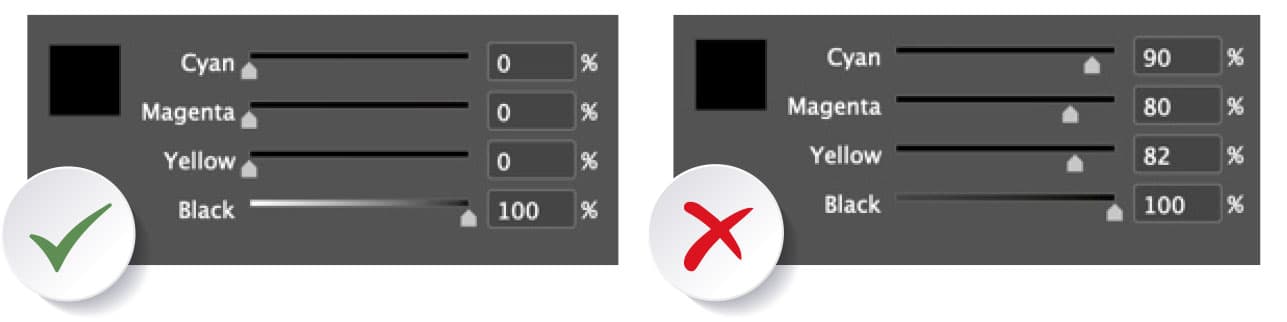
If your design requires black text or lines, it must be configured as a single ink to remain sharp and prevent registration issues on thin paper.
100% Black: Ensure all black elements are set to 100% Black (K) only.
No Rich Black: Do not use "Rich Black" (black composed of 4 colours). Artwork supplied this way will be rejected as it can cause blurry text and registration errors on NCR sets.
If your NCR pads require sequential numbering or perforated edges, these must be clearly indicated in your file.
Perforation: Mark the required perforation edge with a dotted line. You must allow a 20mm safe area from the edge of the page to the perforation.
Numbering: Indicate the exact position for numbering and confirm your required starting number on a second page of your PDF.
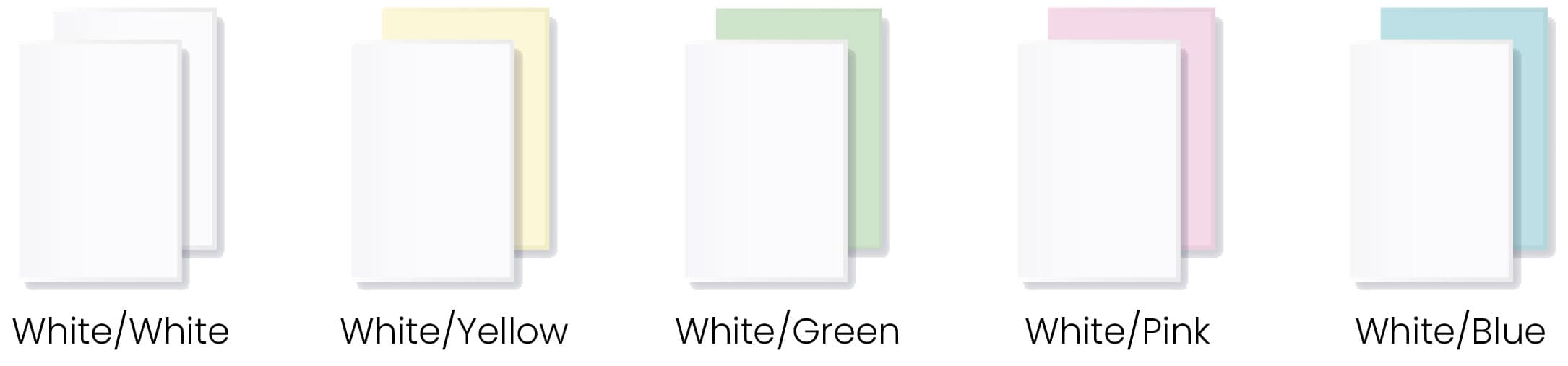
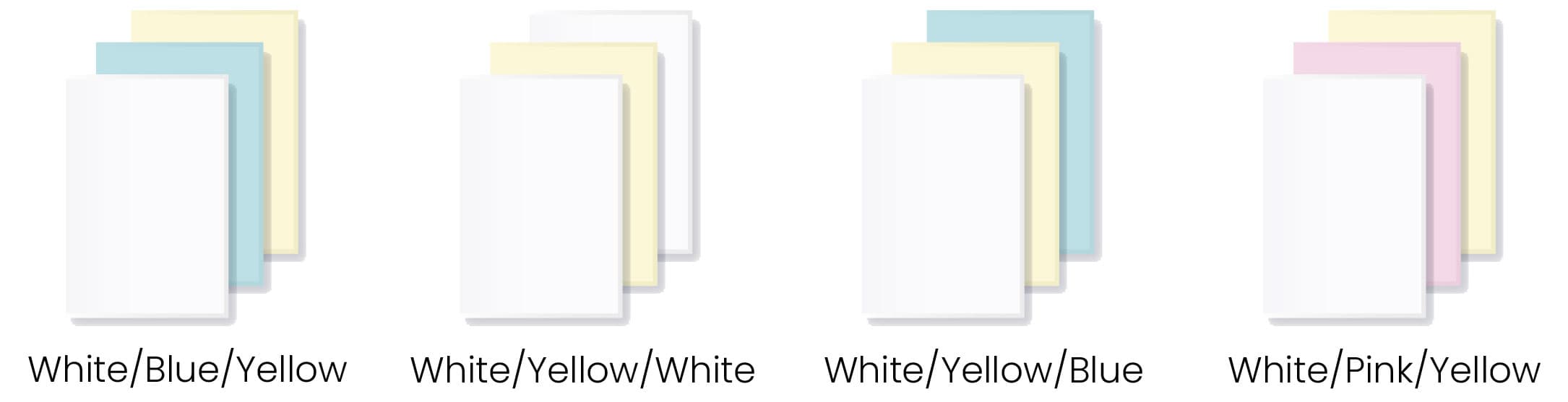
We offer various collated sets in two-part (Duplicate) and three-part (Triplicate) options to suit your filling needs.
2-Part Sets: Available in White/White, White/Yellow, White/Green, White/Pink, White/Blue.
3-Part Sets: Top sheet white with sheets 2 and 3 available in any colour combination from White, Yellow, Green, Pink or Blue (examples illustrated above).
Need more help? Explore our additional support guides for expert advice on artwork setup, print file preparation, bleed and crop marks, colour setup, large format artwork and troubleshooting common print file issues.
Our support guides also cover paper stock selection, premium print finishes including spot UV and Scodix, preparing print-ready artwork and understanding the best setup for a wide range of printed products.
Before ordering, you can also use our artwork technical check tool to identify common artwork problems, including low resolution images, missing bleed, incorrect dimensions and RGB colour profiles.
You can also browse our full range of print products, including banners, business cards, flyers, posters and large format printing solutions.
Choose custom NCR pads with duplicate and triplicate printing options designed for invoices, order forms, delivery notes, receipts and other important paperwork.