Prices
Your artwork might look perfect on screen, but is it ready for print? From missing bleed and incorrect dimensions to image resolution and binding requirements, even small technical details can make a big difference to the finished result.
That's where artwork technical checks come in. At WTTB, every item receives a free automated Essential Artwork Technical Check, with the option to upgrade to a more detailed inspection by our experienced prepress technicians.
But what actually happens during these checks, what are we looking for and why does the human eye still matter? We're taking you behind the scenes to explain how artwork checks work, what our team looks out for and how you can give your files the best possible start.
An artwork technical check is a review of a print file to identify potential problems with its technical setup before production begins. It's part of the prepress process, where digital artwork is prepared for printing.
Even a professionally designed file can contain technical issues that aren't obvious on screen. A brochure might have text positioned too close to the trim edge, an image could lose sharpness when enlarged, or a PDF might contain incorrect colour settings.
Technical checks help identify these issues before printing, giving customers an opportunity to correct problems that could affect the finished product.
At WTTB, we use automated checking and specialist human inspection, depending on the level of service selected. Both focus on the technical preparation of the artwork rather than reviewing its creative design.
There's more to print ready artwork than choosing the right dimensions and saving a PDF. Our checks cover a range of technical details that help ensure the file is suitable for its intended printing process.
Here are some of the key areas we look at and why they matter.
One of the first things to check is whether the artwork has been prepared at the correct size, with the right space around important content.
Bleed extends artwork beyond the final trim edge, allowing for small variations during cutting. Without sufficient bleed, unwanted white edges can appear on the finished print.
Safe areas work in the opposite direction. They keep important text away from edges where trimming or finishing could affect it.
Our Essential Check verifies that the page dimensions match the required size, checks for a bleed box and identifies text positioned within safe zones. The Expert Check goes further, inspecting whether bleed has been correctly extended around all edges and whether important content has enough clearance from trimming and finishing areas.
For most WTTB products, artwork should include 3 mm bleed. Using the artwork template for your chosen product, whether in InDesign or Canva, is an easy way to work with the correct dimensions and safe areas from the start.
An image can look perfectly clear on a computer screen but become noticeably pixelated when printed, particularly if it's enlarged.
Our Essential Check identifies images that fall below the required resolution. For standard products, the minimum is 250 dpi, while large format products have a minimum of 150 dpi. We recommend 300 dpi for optimum results.
The Expert Check goes further by assessing whether images and logos appear sharp at their intended printed size. This is particularly useful when artwork contains detailed graphics, fine lines or images that have been scaled.
The distinction is important. An image can meet the minimum technical resolution requirement but still appear blurry or lack detail when viewed at its final size.
Print uses CMYK colour, while many digital designs begin in RGB, the colour mode commonly used for screens.
With the exception of mugs, coasters and mouse mats, our automated system converts identified RGB and spot colours to CMYK, unless those spot colours are required for specialist finishes. Because conversion can affect how colours appear in print, we recommend preparing artwork in CMYK before uploading rather than relying on automatic conversion.
Some specialist finishes also require particular file preparation. Foiling, Spot UV, Cut to Shape and selected white ink processes use designated spot colours to identify where the finish should be applied. These need to remain correctly defined within the artwork so the production process can recognise them.
Our Essential Check also reviews overprint settings, including whether white objects have accidentally been set to overprint, which can cause them to disappear from the finished print.
Fonts need to be properly embedded or outlined so they reproduce as intended. Missing fonts, substituted characters and technical file errors can all create problems during production.
Our Essential Check verifies that fonts are embedded or outlined, identifies missing or substituted fonts and checks the minimum 6pt font size. It also checks PDF/X-4 compliance, unwanted annotations, interactive elements, layers and other technical file settings.
The Expert Check adds a closer inspection of how text is likely to reproduce. This includes checking whether thin or light fonts remain clear at their actual printed size and identifying rasterised or blurry characters.
For example, a particularly thin typeface might technically meet the minimum font size requirement but still lose definition when printed. That's the kind of detail where additional technical inspection can be valuable.
Automation is an important part of modern print production. It allows technical file settings to be checked quickly and consistently, helping identify straightforward problems before artwork progresses.
But not every potential printing issue can be assessed through file data alone.
That's where our prepress technicians come in.
With practical knowledge of graphic design, print production and finishing processes, our team understands how artwork behaves when it moves from screen to printed product. They know how trimming tolerances can affect content near an edge, how binding can influence the position of text and images, and why something that looks sharp on screen might not reproduce as expected.
With an Expert Artwork Technical Check, that production knowledge is applied directly to the file through a more detailed manual inspection.
For example, the automated Essential Check can verify a book's spine width and cover alignment, while an Expert Check additionally assesses whether spine text is positioned safely within binding tolerances.
The team's role isn't to redesign artwork, but to identify technical risks that could affect production. Where problems are found, customers have the opportunity to make the necessary adjustments before their files move forward.
It's a combination of technology and production expertise, with each playing a different role in the checking process.
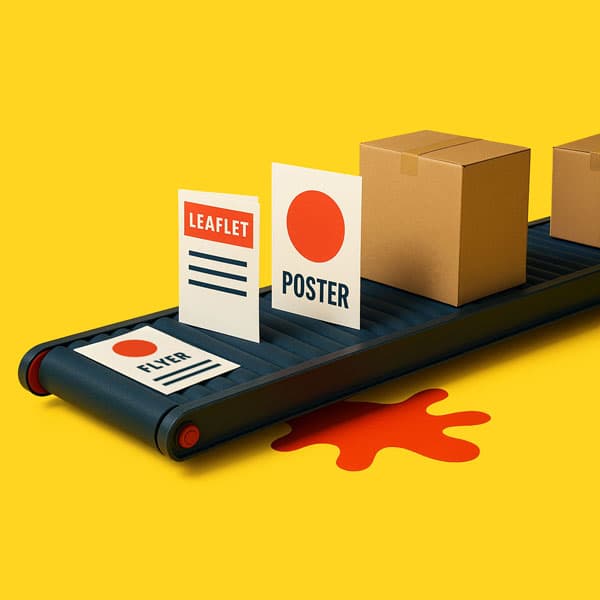
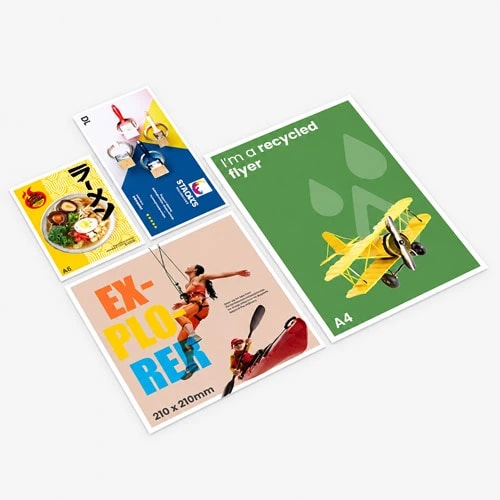
Not all print products behave the same way during production. An artwork file prepared for a flyer won't necessarily have the same requirements as one for a book, folded leaflet or roller banner.
Understanding these differences is an important part of preparing artwork correctly.
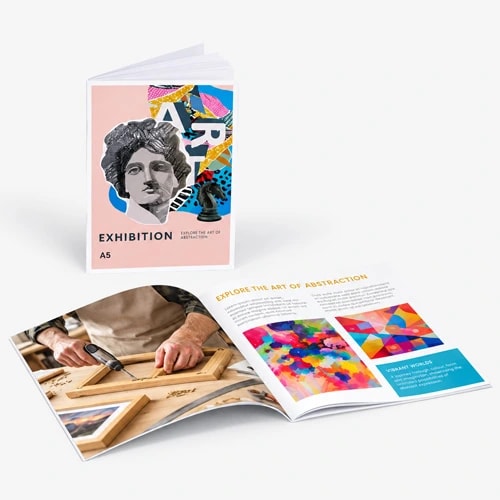
Book printing introduces additional considerations because pages must work together once printed, folded, trimmed and bound.
Our Essential Check covers technical requirements such as spine width, alignment and the correct setup of front, spine and rear covers where applicable.
For customers choosing an Expert Check, the inspection also covers running order, page number positioning, image alignment across facing pages and colour consistency across spreads.
For thicker saddle stitched books, page creep is another consideration. As folded sheets sit inside one another, the inner pages extend further out and require additional allowance during trimming. Our Expert Check includes an assessment of creep allowance for these products.
Even small positioning errors can become noticeable across a finished book, so these additional checks can be particularly useful.
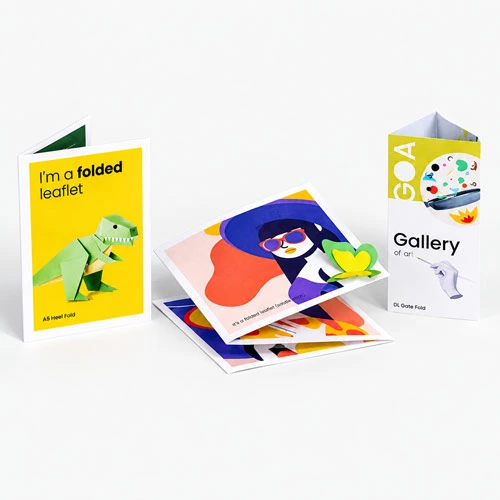
Folded leaflets need more than a correctly sized flat artwork file. The position of folds and the arrangement of panels also affect how the finished leaflet works.
For example, a design that appears aligned when flat may not look right once folded if important elements sit too close to a crease or the artwork doesn't account for the intended panel positions.
For folded leaflets, correct document dimensions, safe areas and finishing requirements are particularly important. Using the correct product template and marking fold positions where required helps ensure your artwork has been prepared for the intended fold style.
Large format artwork often needs to be assessed differently because the finished product may be much bigger than the file displayed on screen.
Image resolution, text size and intended viewing distance all matter. Text that looks readable on a monitor may become difficult to see when printed at scale, particularly if the lettering is thin or the design contains fine details.
Our Expert Check includes additional technical assessments for large format products, looking at font legibility at distance, appropriate scaling and whether excessive outlines or thin fonts could disappear at the finished size.
These examples show why understanding the printing process matters just as much as checking the file itself.
At WTTB, there are two levels of Artwork Technical Checks, designed to suit different artwork requirements.
Every item receives our free, automated 23 point Essential Check as standard.
It covers fundamental technical settings such as document size, page count, bleed boxes, safe areas, colour modes, embedded fonts, image resolution, overprint settings and PDF structure.
Book products also receive relevant checks for spine width, alignment and cover setup.
This provides a useful first level of technical validation, particularly for straightforward artwork that has already been prepared using the correct specifications and templates.
For customers who want a more detailed assessment, the Expert Check expands the process to 41 points, including manual inspection by our prepress technicians.
Alongside everything included in the Essential Check, it examines more advanced technical considerations such as bleed extension, margins, fine text, image sharpness, double sided alignment and finishing requirements.
For relevant products, it also includes checks for book running order, page numbers, creep allowance, image alignment across spreads, spine text tolerances and large format font legibility.
Expert Checks can be particularly useful for more complex products, artwork containing fine details or files where additional technical inspection would be beneficial.
The upgrade costs £2.50, £5 or £10 per item, depending on product complexity. If you're ordering multiple artwork versions, each separate file requires its own check. For example, four different designs would require four individual Expert Checks.
You can also use Print Perk Points earned through WTTB Rewards towards the cost, with each point worth £2.50.
For a complete breakdown of what's included, visit our Artwork Technical Checks page.
Finding a technical problem doesn't necessarily mean the design needs to be started again. Sometimes, the solution can be as straightforward as adding missing bleed, adjusting an image or exporting a corrected PDF.
If our technical check detects an issue that prevents the artwork from progressing, the file will be rejected so you can correct and resubmit it.
Once you've made the necessary changes, you'll need to upload the corrected artwork for checking before production can continue.
It's important to remember that artwork corrections will delay delivery beyond the original date shown at checkout. That's because the production schedule depends on receiving artwork that meets the required technical specifications.
Reviewing your files carefully before uploading is therefore always worthwhile, particularly for time sensitive print projects.
Artwork technical checks are designed to identify problems with how a file has been prepared for printing. They aren't the same as proofreading, creative approval or a full design review.
For example, our checks don't verify spelling, grammar, phone numbers, web addresses or the accuracy of product information.
They also don't assess whether your chosen colours, fonts, branding or overall composition are creatively right for your project.
It's worth distinguishing creative decisions from technical reproduction. An Expert Check may assess whether a thin font is likely to print clearly or whether an image appears sharp at its intended size, but that doesn't mean we're approving the design's overall readability, visual appeal or layout choices.
An artwork file can therefore pass a technical check while still containing a spelling mistake, incorrect information or a design detail you'd prefer to change.
Before uploading, always review the full design at its intended size and double check all important information. That final creative and content review remains your responsibility.
The best way to avoid unexpected artwork issues is to prepare your files correctly before placing your order.
A few simple checks can make a real difference:
Our Support Guides cover common artwork problems and provide practical instructions for preparing different types of print. You'll also find product templates to help with dimensions, bleed and finishing requirements.
If you're working in Canva, our Canva resources can help you prepare and export your designs correctly for printing.
Behind every printed product is a digital file that needs to work with the equipment, materials and finishing processes used to produce it.
Artwork Technical Checks help bridge that gap, combining automated file validation with the knowledge of experienced prepress technicians when a more detailed inspection is needed.
Whether you're preparing a straightforward flyer or a complex book, understanding what happens before production gives you a better chance of getting the result you're aiming for.
Great print doesn't start when the presses roll. It starts with getting the artwork right, backed by a little WTTB Print Sorcery.
Posted on October 22, 2026 by Chris Henderson
Related topics:
£21.76
£51.01
£17.48
£17.71
£19.93