Common.text-prices
You've written the content, designed the pages or received the final files from your client. Now comes the exciting part: turning everything into a professionally printed book. But where do you start? What files do you need, how should you prepare them and what happens once you've placed your order?
Whether you're printing your first novel, producing a company publication, creating a photography portfolio or organising books for a customer, there are a few important steps between the final design and the finished product.
We've put together this practical guide to take you through the book printing process, from planning your pages and preparing artwork to choosing quantities and getting your books into production.
Before you open your design software or request a printing quote, establish what your finished book needs to look like and how it'll be used.
You don't need every specification finalised immediately, but a few early decisions will make the rest of the process much easier.
What is the book for?
A novel, training manual, photography book and company report all have different requirements. Think about how people will read or interact with your publication. Will they need to write in it, display it, carry it around or keep it for years?
What size should your book be?
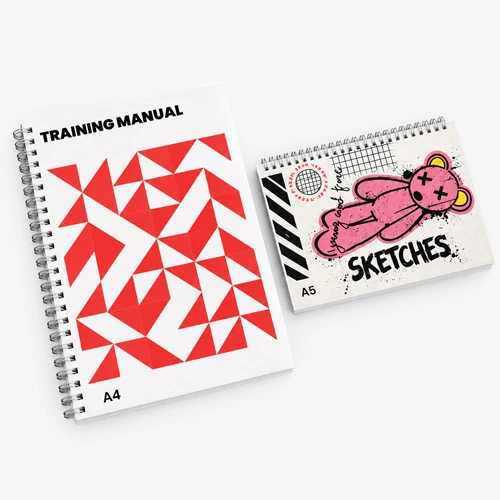
A5 is a practical option for compact publications, while A4 offers more room for detailed layouts, photographs and diagrams. Square and custom formats can work well when the proportions are important to the design.
Check that your preferred size is available for your chosen book product before finalising the artwork.
How many pages will you need?
Establish an approximate page count as early as possible. Different book binding methods have different page limits and requirements, and the number of pages can affect the thickness of the finished book.
How many copies will you print?
If you're printing a book for the first time, you might only need a small quantity. For a company event, training course or customer project, your requirements may be clearer.
Having an estimated quantity will help when comparing printing specifications and costs.
You'll also need to select a suitable binding style and paper stock.
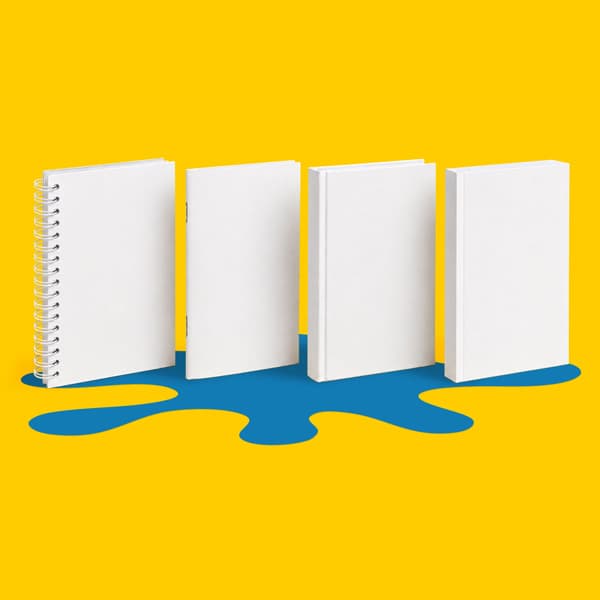
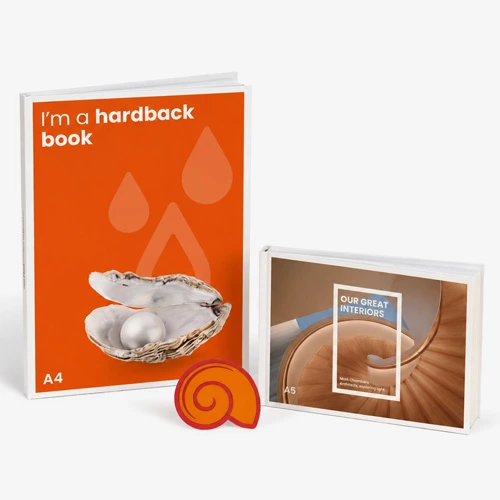
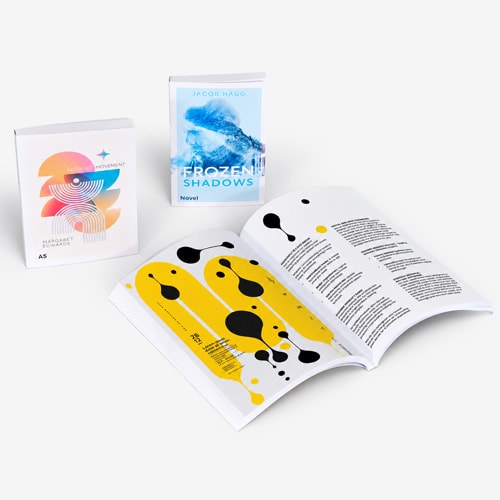
For example, saddle stitched booklets can suit shorter publications, perfect binding creates a familiar paperback format, hardback binding provides a rigid cover and wiro binding allows pages to open flat.
Each method has its own benefits and technical requirements. Our Book Binding Guide explains the differences in more detail, helping you find the right format without getting tied up in the terminology.
Paper choice matters too. A text heavy publication may benefit from a lighter, uncoated stock, while an image led portfolio might suit a coated paper. Our Print Materials Hub can help you compare the options.
The important part: Choose your book specifications before completing the artwork. Changing the finished size, paper or binding later can mean adjusting page layouts, margins and cover dimensions.
Now it's time to think about how the pages will be supplied.
One of the biggest differences between designing a book and preparing it for print is understanding how the pages need to be organised.
In printing, a page refers to one side of a sheet of paper.
That means one sheet printed front and back counts as two pages, while two double sided sheets contain four pages.
For example, a 40 page book contains 40 individual printed page faces. The number of physical sheets will depend on how the book is produced.
Your page count also needs to follow the requirements of your selected binding method. Saddle stitched booklets, for instance, are typically produced in multiples of four pages.
This is a common source of confusion.
When designing a book, you might work with facing pages so you can see how the publication will look when opened.
However, when supplying inner artwork, pages should generally be exported as individual pages in their normal reading order.
That means page 1, page 2, page 3 and so on, rather than rearranging them into printer spreads.
The process of arranging pages for printing and binding is called imposition, and it's handled during production.
If your design includes an image stretching across two facing pages, make sure the artwork accounts for the binding and any area that may be less visible near the centre.
Blank pages are easy to overlook, particularly when exporting artwork.
If your book needs a blank page between sections, or a particular chapter must begin on a right hand page, include those blank pages in the correct positions.
Otherwise, removing them can change the reading order and cause subsequent pages to fall in the wrong place.
For example, if you want a new chapter to begin on a right hand page but the previous chapter finishes on another right hand page, you may need to insert a blank left hand page between them.
Check the final PDF from beginning to end to make sure every page is present, including intentional blanks.
Once the page order is established, the next step is ensuring the artwork fits the finished dimensions.
This is particularly important for books because trimming and binding can affect areas close to the edges of the pages.
Start with the finished dimensions of your book.
An A5 book, for example, has a finished page size of 148 × 210 mm.
If your artwork requires 3 mm bleed on each side, the full artwork area extends beyond those dimensions.
Bleed provides extra artwork outside the finished trim edge, helping prevent unwanted white borders when pages are cut.
Background colours, photographs and other elements intended to reach the edge should extend into the bleed area.
Bleed isn't the same as a safe area.
While bleed extends beyond the trim edge, the safe area is inside the finished page. It provides clearance for important text, logos, page numbers and other details that shouldn't sit too close to the edge.
For bound publications, you'll also need to think about the inner margin, sometimes called the gutter.
Text positioned too close to the spine can become difficult to read, particularly in books that don't open completely flat.
A book with a substantial page count may need different inner margin allowances from a thinner publication.
Practical tip: Don't simply centre the text area between the left and right edges of every page. Check whether the binding requires additional space on the inside edge, and mirror the margins appropriately between left and right pages.
Large photographs, diagrams and illustrations can look effective when they span two facing pages, but the binding needs careful thought.
In a perfect bound book, part of an image can disappear into the gutter. If someone's face, important text or a critical detail sits directly across the centre, the finished result may not look as intended.
Try to keep essential details away from the join between pages.
For books where uninterrupted images are especially important, explore the available binding options before committing to the design.
The cover often requires different artwork from the inside pages, particularly when the book includes a spine.
This is an area where it's worth following the exact production template for your chosen book product.
The spine is the part of a bound book that connects the front and back covers.
For perfect bound and hardback books, its width depends on the number of pages, the selected paper stock and the construction of the book.
This means you shouldn't estimate the spine width simply by looking at another book or measuring a stack of printed sheets.
Instead, use the spine dimensions or cover template provided for your chosen specification.
If the page count or paper changes, review the spine width before submitting your cover artwork.
Depending on the binding method, cover artwork may need to be supplied as a continuous spread containing the back cover, spine and front cover.
Hardback books may also require additional wraparound artwork to cover the rigid boards.
These aren't dimensions you should guess. Use the relevant production template and make sure the cover design extends into all required areas.
Pay attention to the direction and positioning of any spine text too. Small changes to the spine width can affect how the title sits once the book is bound.
Endpapers are the sheets that connect the inner pages of a hardback book to the cover.
Our standard hardback books include four pages of plain white uncoated endpapers, added during production.
You don't need to include these in your submitted artwork or page count.
If your project needs printed endpapers or a different endpaper arrangement, that would require a bespoke specification.
With the pages and cover prepared, you're ready to create the files for printing.
We accept PDF artwork, so it's important to export correctly from your design software rather than submitting the original working files.
Images need sufficient resolution at their intended printed size.
For standard printing, 300 dpi is generally recommended for optimum quality.
Remember that enlarging an image reduces its effective resolution. A photograph that looks sharp on a small page might not reproduce as well when stretched across a larger format.
Screens display colours using RGB, while professional full colour printing generally uses CMYK.
RGB artwork can be converted during the print preparation process, but that conversion can affect how some colours appear.
For better control over the intended result, prepare your artwork in the required colour mode and review any important brand colours or photographic images before submission.
Fonts should be correctly embedded or outlined where appropriate so the intended lettering reproduces accurately.
Pay particular attention to small text, light font weights and fine details.
Something that appears readable when zoomed in on a monitor might be difficult to read at its actual printed size.
Before exporting, confirm the specific file requirements for your chosen book product.
Some books require separate PDF files for the cover and inner pages. The cover may also need a different layout from the inside pages.
For the inner pages, supply them in reading order rather than printer spreads, unless the product instructions specifically state otherwise.
Once you've exported the PDFs, open them independently and check that every page appears correctly.
This final review is important because the exported file is what will actually be used for production, not the original design document.
For additional guidance, explore WTTB's Support Guides and use the artwork templates provided on the relevant product pages.
You've spent time preparing the content and design, so give the finished files one last inspection before sending them to print.
Even small errors can become frustrating when they're repeated across an entire print run.
Here's a useful checklist:
If you're printing books for a customer, it's particularly important to get their approval of the final content before uploading the artwork.
At WTTB, every item receives a free automated 23 point Essential Artwork Technical Check, which looks for technical issues such as page dimensions, bleed boxes, fonts and file structure.
There's also an optional 41 point Expert Artwork Technical Check, which includes a manual inspection by a prepress technician. This can help identify more advanced technical problems involving image sharpness, binding tolerances, page alignment and other production considerations.
However, these services aren't proofreading or creative design checks.
They're intended to identify technical problems, so spelling, wording and the overall appearance of your content remain your responsibility.
If your artwork fails a technical check, you'll need to correct and resubmit it, which will delay the original delivery date.
You can learn more about what's included on our Artwork Technical Checks page.
There isn't one standard price for printing a book. The cost depends on several factors, which is why it's worth comparing your options before finalising the specification.
Larger books generally use more material per page, while publications with more pages require additional paper and production work.
If you're printing a book with a substantial page count, even a small change to the specification can affect the finished weight, spine thickness and price.
Different binding methods require different production processes. The paper weight, stock and cover finish can also influence the cost.
For example, a straightforward paperback with an uncoated interior will have different requirements from a premium hardback with specialist cover finishes.
Rather than assuming one approach is always cheaper, compare the actual specifications for the book you want to produce.
If your book contains mostly text, black and white inner pages may be appropriate and could help control printing costs where that option is available.
For photography, illustrations, diagrams and branding, full colour printing may be important to the finished result.
Think about what the content genuinely requires rather than automatically choosing full colour throughout.
The number of copies you order can affect the cost per book.
For some projects, a larger order may offer a lower unit price, although it also increases the overall spend and leaves you with more stock to store or distribute.
If you're an independent author testing demand, a smaller initial order could be a practical starting point.
If you're producing books for an event or confirmed customer requirement, it may make more sense to order the full quantity together.
A useful approach: Compare a few quantities using the same book specification. Look at both the overall cost and the price per book before deciding what works for your budget.
Once your book is ready, the final stage is placing the order.
Start by exploring our books and brochures range to find the product that matches your project.
Select the available specifications, including size, page count, paper, cover finish and quantity. The options displayed will depend on the particular book product.
Review the price and turnaround, then complete your order and upload the final PDF artwork as instructed.
The files will go through the relevant artwork checks before the order progresses into production.
Once approved, your book moves through the appropriate printing and finishing processes, including binding, trimming and packing.
Production times vary depending on the book type and specification, so always check the delivery options available for your order.
If your books are needed for an event, launch or other deadline, allow enough time for artwork corrections and delivery.
Once the pages have been printed, they're prepared for the selected binding method.
Depending on the product, that could involve folding and stapling, adhesive binding, wiro binding or fitting the printed pages into a hardback cover.
The finished books are then trimmed, finished and packed ready for dispatch.
It's the final stage of the process, where the individual parts you've planned and prepared come together as a physical publication.
Before you press ahead with your next book printing project, make sure you've covered the essentials.
Stage | What you need to confirm |
|---|---|
Plan | Purpose, audience, finished size and approximate page count |
Specifications | Binding, paper stock, cover and print colours |
Page layout | Reading order, blank pages, margins and bleed |
Cover artwork | Correct dimensions, spine width and production templates |
PDF export | Final print ready files, fonts, colours and image resolution |
Final checks | Proofreading, page sequence and artwork approval |
Ordering | Quantity, price, delivery and artwork submission |
Keeping these details together from the start makes it easier to move through the process without repeatedly revisiting earlier decisions.
Printing a book involves more than simply sending a document to the printer, but it doesn't need to be complicated.
By planning the specifications early, organising the pages correctly, preparing the right artwork files and checking everything before ordering, you'll be in a much better position to get the finished result you're looking for.
Whether you're creating your first publication, printing materials for your business or bringing a customer's project to life, a little preparation goes a long way.
And when everything's ready to turn the page, our book printing expertise and a touch of Print Sorcery can help bring it all together.
common.text-posted-by
common.text-related-topics:
£136.00
£61.61
£51.01
£117.25
£85.13